Creating a productive home workspace is more important than ever, with many of us spending significant time working remotely. A well-designed workspace can boost focus, creativity, and overall job satisfaction. However, a one-size-fits-all approach rarely works; your workspace should reflect your lifestyle and personal work habits. In this post, we’ll share helpful tips to build a productive home workspace tailored to you.
Understand Your Work Needs
Before you start setting up your workspace, consider the type of work you do. Do you need multiple screens, quiet for calls, or lots of space for papers? Identify your daily tasks and essential equipment to ensure your new workspace supports your activities.
Assess Your Work Style
– Creative tasks: You might benefit from natural light and an inspiring environment.
– Focused tasks: A quiet, minimal area can help reduce distractions.
– Meetings and calls: Consider soundproofing or a private corner.
Choose the Right Location
Selecting the right spot in your home is crucial. Ideally, pick a space that you associate only with work to help mentally separate work from rest.
Tips for Location Selection
– Avoid high-traffic areas to minimise interruptions.
– Seek natural light, which improves mood and energy.
– Consider temperature and ventilation for comfort during long hours.
Invest in Ergonomic Furniture
Comfort and health are key for productivity. Ergonomic furniture reduces strain, preventing discomfort and injury.
Essentials to Consider
– Desk: Choose a size that fits your equipment without clutter.
– Chair: Opt for adjustable options with good lumbar support.
– Monitor height: Position screens at eye level to avoid neck strain.
– Wrist rests and footrests can also improve posture.
Create Organised Storage Solutions
Clutter can be distracting and reduce efficiency. Organise your workspace with smart storage tailored to your habits.
Organising Tips
– Use drawers or boxes to store documents.
– Keep frequently used items within arm’s reach.
– Label storage to save time searching for materials.
– Regularly declutter to maintain a clean environment.
Personalise Your Workspace
While organisation is important, adding personal touches can make your workspace inviting and motivating.
How to Personalise
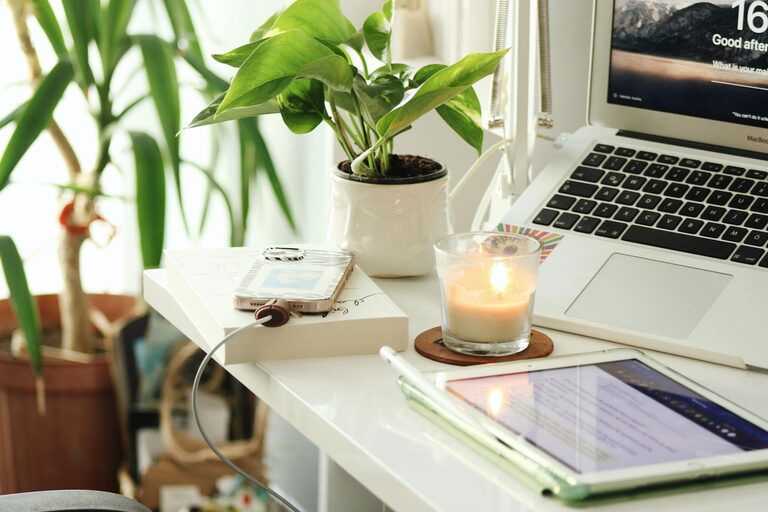
– Add plants for fresh air and calming greenery.
– Use artwork or photos that inspire you.
– Select a colour scheme that makes you feel calm or energised.
Manage Technology Effectively
Technology is essential, but it can also cause distractions.
Effective Tech Use
– Set up reliable Wi-Fi and phone signals.
– Use cable organisers to reduce mess.
– Employ apps that help manage tasks and block distractions.
– Keep chargers and accessories organised.
Establish a Routine and Boundaries
A dedicated workspace is only effective if paired with good work habits.
Tips for Maintaining Productivity
– Set regular working hours and stick to them.
– Take scheduled breaks to avoid burnout.
– Communicate your work schedule with household members.
– Minimise distractions by turning off notifications when possible.
Adjust Lighting Accordingly
Good lighting reduces eye strain and improves mood.
Lighting Recommendations
– Position your desk near a source of natural light.
– Use adjustable desk lamps for focused lighting.
– Avoid glare on screens by adjusting blinds or screen brightness.
Keep Comfort in Mind
Small touches can greatly improve your comfort and motivation.
Comfort Enhancements
– Use a cushion or a standing desk option.
– Keep a water bottle nearby to stay hydrated.
– Maintain an appropriate room temperature.
Final Thoughts
Creating a productive home workspace that suits your lifestyle is about balancing functionality with personal preference. Take time evaluating your needs, invest in good furniture, and organise smartly. Remember that your workspace should be flexible enough to grow with your work style and comfortable enough to keep you motivated. With these tips, you’ll be one step closer to a more efficient and enjoyable working-from-home experience.
About the Author